

There are many different aspects to running a WordPress website.
One of the most important, yet often overlooked, is understanding and using the roles available inside a WordPress account.
In this article, we will discuss what roles are, how they work, and how you can customize them to fit your specific needs.
We will also show you how to create custom roles and manage all of your WordPress users effectively.
Before we dive into the details of managing user roles, let’s first take a look at what they are and how they work.
- What Are WordPress User Roles and Permissions?
- What Are the Different User Roles Available in WordPress?
- How Do I Find User Roles in WordPress?
- How Do I Customize Existing User Roles and Permissions in WordPress?
- How Do I Create Custom User Roles in WordPress?
- Managing WordPress User Roles Effectively
- Adding, Removing, and Changing Capabilities to a User Role
- What Are the Best WordPress User Roles and Capabilities Plugins?
- WordPress User Security
- Wrapping Up
What Are WordPress User Roles and Permissions?
In WordPress, user roles determine what someone can do on your website.
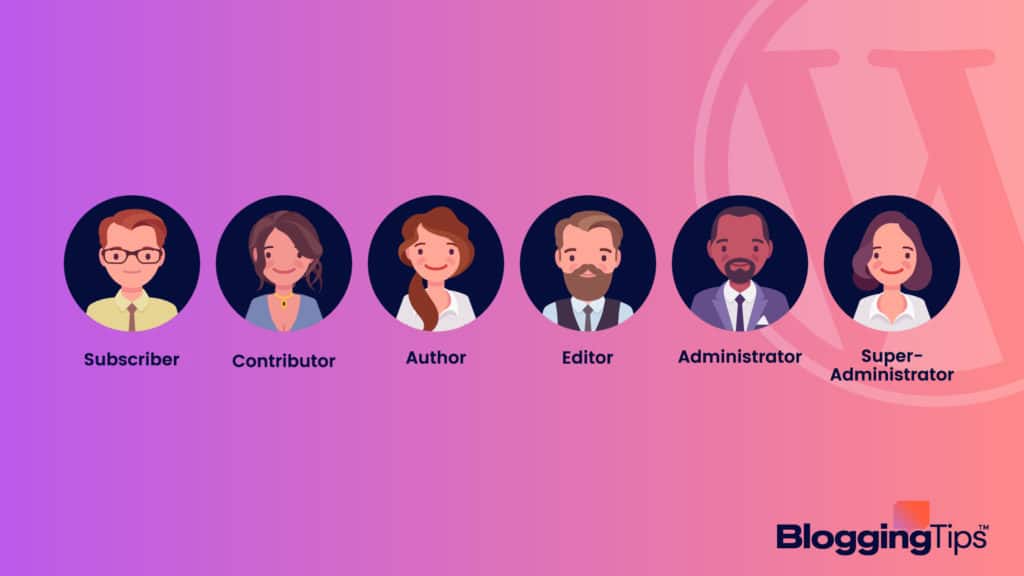
There are six default user roles.
- Subscriber
- Contributor
- Author
- Administrator
- Editor
- Super Admin
Each user role uses a specific set of capabilities.
These capabilities represent permissions that allow users to perform certain actions on your website.
For example, the Super Admin role can manage all aspects of a WordPress network.
An Editor role can create, edit, and publish posts.
In most cases, the user roles provided by default should fit all your needs.
However, there may be times when you want to create a custom role with specific capabilities.
To fully understand the benefits and conveniences of having user roles, you’ll first need to know what each of them includes.
[box_with_button title=”Editor’s Note” link_url=”https://bloggingtips.com/sorry-you-are-not-allowed-to-access-this-page/” link_text=”Learn about Sorry, you are not allowed to access this page errors”]
If you’ve ever gotten an error that says “Sorry, you are not allowed to access this page” while working in WordPress, you’ve likely faced the limitation of your user role.
[/box_with_button]
What Are the Different User Roles Available in WordPress?
Let’s take a more detailed view of each of the six user roles in WordPress.
1. WordPress Subscriber Role
A WordPress subscriber role comes with the least website access.
What Is a WordPress Subscriber Role?
Subscribers can create an account and log in to your website.
However, they cannot access the WP administrator area or make any changes to your website.
Use this role if you offer content that users can subscribe to.
Keep in mind that you can’t send emails to people using this role.
You will need to use an email service provider for that purpose.
For example, you might use Mailchimp or ActiveCampaign to collect email subscribers from your blog’s sidebar.
Subscriber Capabilities
Here is a list of the default capabilities assigned to Subscribers:
- Read
- Edit personal profiles
Who Should Have the Subscriber Role?
The WordPress subscriber role is best suited for people who will consume the content on your website.
This option could represent anyone from casual readers to dedicated fans.
If you are running a membership website, this role would also work for members who do not need access to the admin area.
The Pros of WordPress Subscriber Roles
As a basic role, the subscriber option works well for websites that offer content that users can subscribe to, such as a blog or newsletter.
It’s also advantageous when building a membership website.
The role keeps your website secure by limiting access to the admin area.
It helps prevent unauthorized changes to your website by controlling who can see and edit your content.
Editor’s Take
As the lowest tier of user roles, Subscriber is a title that’s typically reserved for your dedicated readers. With a Subscriber title, individuals can create an account and make a profile page that makes them identifiable.
These individuals will be able to edit and add content to their profiles and change their passwords. However, they don’t have access to any parts of your website, aside from being able to leave a comment.
Subscribers cannot add posts, edit comments, or access the behind-the-scenes areas of your site. Instead, it’s simply a way to make an account so that they can leave a comment on your posts.
2. WordPress Contributor Role
Stepping up from the subscriber role, we get the WordPress contributor role.
What Is a WordPress Contributor Role?
Contributor roles are similar to the subscriber role in that contributors can create an account and log in to your website.
However, contributors can also write and submit posts for review.
Once a contributor submits their blog post, an administrator or editor must approve and post it.
Contributor Capabilities
Here is a list of the default capabilities assigned to Contributors:
- Delete posts
- Edit posts
- Read posts
Who Should Have the Contributor Role?
The contributor WordPress role is best suited for people who create content for your website.
You might give this access to guest writers, expert contributors, or even employees.
If you run a membership website, this role would also allow members to submit content.
The Pros of WordPress Contributor Roles
The contributor WordPress role is beneficial because it allows multiple people to place content onto your website without giving them access to the WP administration area.
It saves time by eliminating the need for you or an editor to copy and paste content from a word processing document.
It’s also a great way to get content from guest writers or experts in your industry.
By submitting their posts for review, you can ensure that the quality of your content remains high.
Editor’s Take
Contributor posts are booming in popularity because it’s a great way to network, backlink, and attract new audiences. If you’re a site owner interested in working with another blogger, this role will prove to be particularly useful. Individuals can write and save their own posts on your site as a Contributor but cannot publish them.
An Editor will be required to approve and publish a post, making it a great way to ensure you’re posting quality content. In fact, even Authors cannot manage a Contributor’s content, as they can only edit and adjust their own posts.
Another factor to consider with this user role is that Contributors can’t categorize their posts, but they can add tags. One of the downfalls of this role is that they don’t have the opportunity to upload files. If you want them to add images or videos to their posts, for example, you’ll require an Editor for this task.
3. WordPress Author Role
The WordPress author role is similar to the contributor role in that authors can write and submit posts for review.
What Is a WordPress Author Role?
WordPress authors can build, edit, and publish their posts.
An author can delete their posts.
Authors can’t gain access to other user’s posts.
Author Capabilities
Here is a list of the default capabilities assigned to Authors:
- Edit published posts
- Delete published posts
- Upload files
- Create reusable blocks
- Edit reusable blocks
Who Should Have the Author User Role?
The WordPress author role is best suited for people who regularly create content for your website.
It could represent anyone from guest writers to employees.
The Pros of WordPress Author Roles
There are a few advantages to using the author role.
Authors can help with proofreading and catching errors before publishing posts.
An author can help you gather content from other people for a post.
By having access to the post editor, authors can format their posts before publishing them.
Editor’s Take
Another role that you can assign to the individuals providing content to your site is the Author role.
With this task, writers can create and publish their own content and delete their own posts.
This role is unique to other platforms because they can still delete their posts even after publishing.
It’s best if this role is reserved solely for the better writers for your site who create your blog posts.
You will also need to assign Editors still, as Authors cannot categorize their posts outside of using tags.
Another difference between Authors and Editors is that Authors can’t moderate comments or delete them.
As expected, this role cannot work with the plugins, themes, or settings of your site, making it a low-risk user role.
The maximum amount of power these individuals have is deleting and adding their own posts.
4. WordPress Administrator Role
The WP administrator role is the highest level of access available.
Administrators have full control over a WordPress website.
What Is a WordPress Administrator Role?
WordPress administrators can start a website on WordPress from scratch.
They can also create, edit, and delete posts and pages.
They can also install plugins, add users, install WordPress themes, and manage all settings on a WordPress website.
If desired, they can delete the website.
Who Should Have the Administrator Role?
Reserve the WP administrator role for people who need full access to important areas of a WordPress website.
You would include website owners, administrators, developers, and editors in this role.
The Pros of WordPress Administrator Roles
Administrators maintain complete control over a WordPress website.
If you’re the administrator, you can add and remove users, change settings, and manage all aspects of your website.
5. WordPress Editor Role
The WordPress editor role is similar to the administrator role in that editors have full access to posts and pages.
What Is a WordPress Editor Role?
WordPress editors can manage and edit content, but can’t gain access to website settings.
Editors can add, delete, and edit posts and pages, as well as moderate comments.
Editor Capabilities
Here is a list of the default capabilities assigned to Editors:
- Delete pages and posts
- Edit published and unpublished pages
- Manage links, comments, and categories
- Read private and public posts
- Upload files
Who Should Have the Editor Role?
The Editor role works for someone who needs to manage and publish content but doesn’t need access to the more technical aspects of the site.
For example, if you have a small business website, you might want to give the editor role to your assistant.
Or, you can ask an employee to keep the site up-to-date using this role.
If you have a blog that multiple people contribute to, the Editor role might work for senior writers.
You can allow them to create, edit, and publish their posts.
However, they can’t make any major changes to the site itself.
The Pros of WordPress Editor Roles
You gain the following advantages when assigning others as editors:
- Editors can help manage and publish content
- They can moderate comments
- Editors can gather content from other team members for a post
Editor’s Take
When designing a website, content is king, which is something that many specialists agree on. Your Editor likely has one of the most important tasks: managing the content directly on your site.
Their tasks will typically revolve around editing, publishing, and deleting posts as necessary. However, as they have control over the content, this is also a role that you’ll want to assign to a trusted individual.
Not only will Editors be able to work on their own published content but other Editors’ content as well. Another facet of this role is managing comments, such as moderating, editing, and deleting them.
This role isn’t as intense as some of the others, as these individuals cannot access the settings for your site. They also don’t have control over plugins, so they cannot adjust or change your theme, nor can they assign new roles.
6. WordPress Super Admin Role
The WordPress super administrator role is available on WordPress multisite networks.
What Is a WordPress Super Admin Role?
On a multisite network, the super administrator role has complete control over every site inside a network of sites.
They can add, delete, and edit posts and pages.
They can also install plugins and themes, add users, and manage all settings on a WordPress website network.
A super administrator can even delete an entire website.
Super Admin Capabilities
Here is a list of the default capabilities assigned to Super Admins:
- Create and delete sites
- Manage networks
- Manage sites
- Manage network users
- Manage network plugins
- Manage network themes
- Upgrade networks
- Set up new networks
- Manage network options
Who Should Have the Super Admin Role?
Only people you trust with an entire network of WordPress websites should get access to the super administrator role.
The super administrator role supersedes the normal administrator role.
For instance, the admin role can decide to activate a plugin while the super admin decides whether to install or delete the plugin.
The Pros of Super Admin WordPress Super Admin Roles
There are a few advantages of being a super administrator.
- You can manage an entire network of WordPress websites
- You can add, delete, and edit posts and pages
- You can install plugins and themes
Editor’s Take
As a Super Admin, there’s no one positioned above you on the website food chain.
This role allows you to perform every possible capability assigned to your site, from posting to editing comments.
As the most senior position, this role should be reserved for yourself or a co-owner of the site.
It’s also important to note that the Super Admin doesn’t only have access to the front-end of your site.
They will also get access to the back-end and complete tasks, such as accessing all sites in your network.
With that said, this role must be assigned to someone on your team who you trust the most.
How Do I Find User Roles in WordPress?
In the WordPress admin panel, go to Users > All Users.
You’ll see a list of every user on your website.
Next to each username, you will notice the user’s role.
How Do I Customize Existing User Roles and Permissions in WordPress?
You can easily customize user roles and their permissions in WordPress.
Go to the Users and area.
Find the option to add a new role.
You can then select the capabilities you want to add or remove from that role.
It’s possible to use plugins to change the capabilities of an existing user role.
The User Role WordPress Editor plugin will allow you to make these user customizations.
With this plugin, you can add or remove capabilities from any user role.
You can also create new user roles and assign them specific permissions.
How Do I Create Custom User Roles in WordPress?
Creating custom user roles in WordPress is a two-step process.
First, you should create the role using a plugin or code.
Then, you can assign capabilities to that role.
There are a few plugins you can use to create custom user roles in WordPress.
The User Role WordPress Editor plugin mentioned earlier can also help to build out new roles.
Another option is the Members plugin.
The Members WordPress plugin allows you to build new roles and assign capabilities to those roles.
You can also create custom user roles in WordPress without a plugin.
However, this method requires you to add code to your site.
If you’re not comfortable with code, we recommend using a plugin instead.
Once you’ve created a custom user role, you can assign it to any user on your website.
To do this, go to Users > All Users.
Then, click on the user you want to change and select the new role from the drop-down menu.
Managing WordPress User Roles Effectively
Now that you know all about WordPress roles, let’s talk about how to manage them effectively.
Why Manage WP User Roles and Permissions?
There are a few reasons you might want to manage WordPress user permissions and roles.
1. To improve security
By managing user roles, you can ensure that only people with the appropriate permissions maintain access to sensitive areas of your website.
Using this option can help reduce the risk of a security breach.
2. To improve team collaboration
By assigning specific roles and permissions to team members, you can give them the ability to work on website areas relevant to their skills and expertise.
With this option, you can help improve collaboration.
It also prevents team members from accidentally making changes they’re not supposed to make.
3. To improve efficiency
By managing user roles and their permissions, you can ensure that people get access to only the areas of the website they need to access.
It can help reduce confusion and increase efficiency.
What Are the Best Practices for Managing WordPress User Roles and Capabilities on Your Site?
Here are a few best practices for managing WP user roles and capabilities on your website:
- Define clear roles and responsibilities
- Assign roles and permissions based on responsibilities
- Review the roles and permissions regularly
- Consider using plugins to manage user roles
If you have a large number of users, it’s helpful to create custom roles with specific capabilities tailored to each user’s needs.
Doing so will help reduce the risk of accidental changes.
It makes it easier to manage your site.
Test all new custom roles thoroughly before making them live on your website.
You want to avoid unexpected changes or problems.
Finally, keep in mind that user roles and capabilities are not set in stone.
You can always change them later.
Communicate any changes to your users so they know what to expect.
What Are the Practices To Avoid as You Manage WordPress User Roles Effectively?
As you manage WP user roles, there are a few practices you should avoid to remain effective.
One such practice is creating different roles for users who serve the same purpose.
Your team members may become frustrated if they find out they have different permissions than others in their roles.
Another practice to avoid is giving too many permissions to a single user role.
Don’t give everyone the same role and permissions.
These activities can create security risks.
It also makes it difficult to manage the different users and their roles.
Avoid changing a user’s role too frequently.
Otherwise, you’ll confuse your employees or freelancers.
Adding, Removing, and Changing Capabilities to a User Role
When adding or removing capabilities from a user role, it’s important to understand the potential implications.
For example, if you remove the “read” capability from a user role, that user can no longer see content on your website.
Before making any changes, it’s always a good idea to test the new role on a staging site.
That way, you can see how the changes will affect your site before making them live.
When you’re ready to make the changes, log in to your WordPress site and go to Users > Roles.
How Do I Add a New User Role to WordPress?
To add a new user role, click the button that lets you add a new role.
Enter the name of the role in the “Role Name” field.
In the “Role Description” field, you can enter a brief description of what this user role can do.
Then, select the capabilities that you want to assign to this user role.
Once you’re finished, click the “Add Role” button.
You’ve created your new user role and it’s ready for use.
How Do I Remove Capabilities From a User Role?
To remove a capability from a user role, use the `remove_cap()` function.
This function takes into account two parameters: the name of the role and the name of the capability you want to remove.
For example, to remove the “edit_posts” capability from the “Contributor” role, you would use the following code.
`remove_cap( ‘contributor’, ‘edit_posts’ );`
Once you’ve removed a capability from a user role, those users can longer perform the corresponding action on your website.
In the above example, users with the “Contributor” role can no longer edit posts.
It’s important to note that you should only use the `remove_cap()` function when necessary.
Removing too many capabilities from a user role can make it difficult for those users to perform their desired actions on your website.
You can also use a plugin.
You might decide to use the WPFront User Role Editor plugin, for instance, to manage user roles and capabilities.
How Do I Change User Roles in WordPress?
If you want to change a user’s role, you can do so by going to the “Users” section of your WordPress dashboard.
From there, find the user you want to modify and click on the “Edit” link next to their name.
On the next screen, scroll down to the “Role” field and select the new role you want to assign to the user.
Once you’ve made your selection, click on the “Update User” button to save your changes.
How Do I Duplicate a User Role?
There may be times when you want to duplicate an existing WP user role.
For example, if you have a “Contributor” role and you want to create a similar role with different permissions, you can do so by duplicating the “Contributor” role.
Once again, the User Role WordPress Editor plugin will help you accomplish this task.
After installing and activating the plugin, go to Users > User Role.
On the Roles tab, select the role you want to duplicate from the drop-down menu.
Then click on the “Copy” button next to that role.
A new pop-up window will appear asking you to enter a name for the duplicated role.
Enter a name and click on the “Copy Role” button.
What Are the Best WordPress User Roles and Capabilities Plugins?
If you’re looking to add or edit user roles and capabilities on your WordPress site, then you’ll need one of the available plugins to help you with that.
Here are some of the best plugins for managing WP user roles and capabilities.
- WP User Manager: Here’s an option that lets you manage your user roles and capabilities from within the WP admin panel.
- Members: The Members plugin gives you a lot of control over your user roles and capabilities, as well as other features like member directories and custom registration forms.
- User Role Editor: With its easy-to-use interface, this plugin works well for managing user roles and capabilities. It lets you add, edit, or delete roles and capabilities.
- Capability Manager Enhanced: Another great plugin for managing user roles and capabilities. Its intuitive interface makes it easy to add, edit, or delete roles.
- Advanced Access Manager: This plugin helps when you want to manage a large number of user roles and capabilities.
WordPress User Security
There are a few things you can do to help secure your WordPress users:
- Use strong passwords: Make sure your users are using strong passwords that are difficult to guess. You can use a plugin like WP Strong Password to help enforce this.
- Use two-factor authentication: Two-factor authentication adds an extra layer of WordPress security to your login process. It requires users to enter a code that two-factor authentication systems send to their phone or email in addition to their password.
- Use a security plugin: A WordPress security plugin like Wordfence can help protect your site from malicious attacks.
- Keep your WordPress site up to date: Be sure to keep your WordPress site and plugins up to date. It will help ensure that your site is as secure as possible.
Wrapping Up
Managing WordPress roles and capabilities can seem like a daunting task.
However, using the proper tools can make it easier to do.
In this article, we’ve looked at some of the best plugins for managing user roles and capabilities.
We’ve also talked about how to use those plugins to duplicate or change existing user roles, as well as how to secure your WordPress users.
Take the next action by selecting your favorite plugin.
Then, use it to organize your blog’s users.